


TimeCheck Support for Attendance, Workforce, and Implementation Needs
Managing attendance, shifts, leave, overtime, reports, and biometric device data should not slow down your HR or operations team. TimeCheck Support helps organizations get the assistance they need to use their time and attendance system smoothly across departments, branches, devices, and workforce policies.
Whether you need product guidance, configuration assistance, implementation support, or help with an operational issue, our team is here to support your workforce management process.
Quick Support Contact
Need help with TimeCheck? Reach our support team through the available support channels below.
Call Support
For urgent product or attendance-related assistance, contact TimeCheck support.
Phone: +91 93616 63986
Email Support
For product queries, support requests, documentation assistance, or issue details, email our team.
Email: info@timechecksoftware.com
Submit an Enquiry
For implementation, configuration, integration, or new requirement discussions, submit your enquiry and our team will get in touch.
How TimeCheck Support Can Help
TimeCheck Support assists organizations with product usage, configuration guidance, and operational support related to time and attendance management.
Our support can help with:
- Attendance tracking queries
- Leave and permission workflow assistance
- Shift and roster configuration guidance
- Overtime and comp-off related queries
- Report generation and attendance data visibility
- User access, roles, and approval workflow guidance
- Biometric and attendance device coordination, based on compatibility
- Payroll-ready attendance data and export-related guidance, where applicable
- Multi-location, department-wise, and branch-wise usage support
- Implementation and configuration assistance for new or expanding teams
Support Request Process
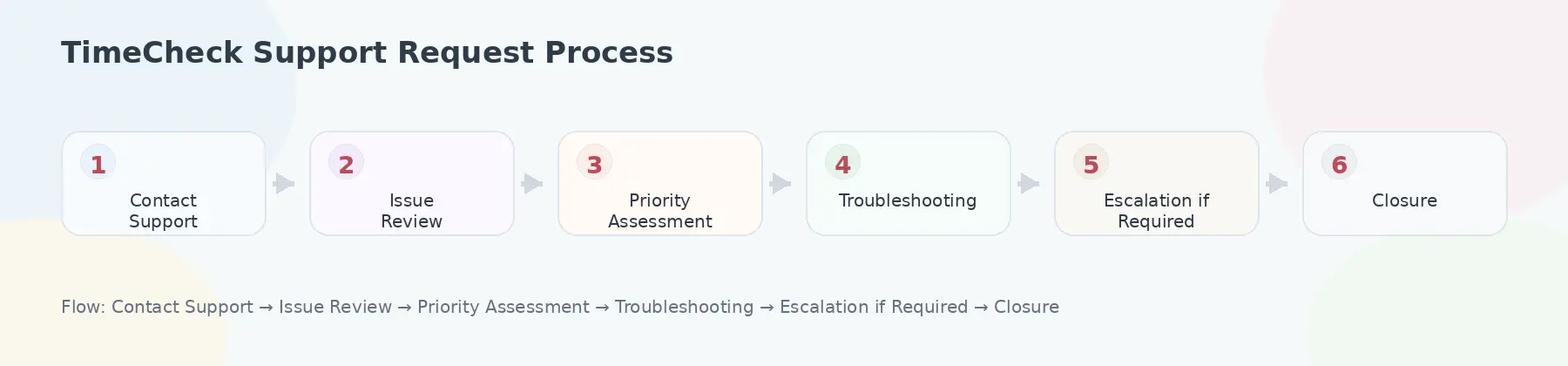
TimeCheck follows a structured support approach to understand, review, and guide customer requests based on the business impact and support scope.
Support Flow
Step 1: Contact Support
Reach us through phone, email, or enquiry form with your issue details.
Step 2: Issue Review
Our team reviews the request, affected module, user impact, and available details.
Step 3: Priority Assessment
The issue is assessed based on business impact, such as attendance capture, payroll dependency, branch impact, or user-level query.
Step 4: Troubleshooting or Guidance
The support team provides product guidance, configuration assistance, or troubleshooting steps.
Step 5: Escalation, if Required
If the issue requires deeper technical, implementation, or integration review, it may be escalated to the appropriate team.
Step 6: Closure and Follow-up
Once the issue is addressed, the support request is closed with the required guidance or resolution update.
Support Priority Levels
Support requests may be prioritized based on their business impact. This helps ensure that critical attendance or payroll-impacting issues receive appropriate attention.
| Priority Level | Example Scenario |
|---|---|
| Critical | Attendance capture or attendance data issue affecting multiple users, locations, or payroll processing |
| High | A major function is affected for a department, branch, or business unit |
| Low | General product guidance, how-to question, minor clarification, or non-urgent request |
SLA timelines, response commitments, and escalation terms may vary based on deployment model, support plan, project scope, and customer agreement.
Implementation and Configuration Assistance
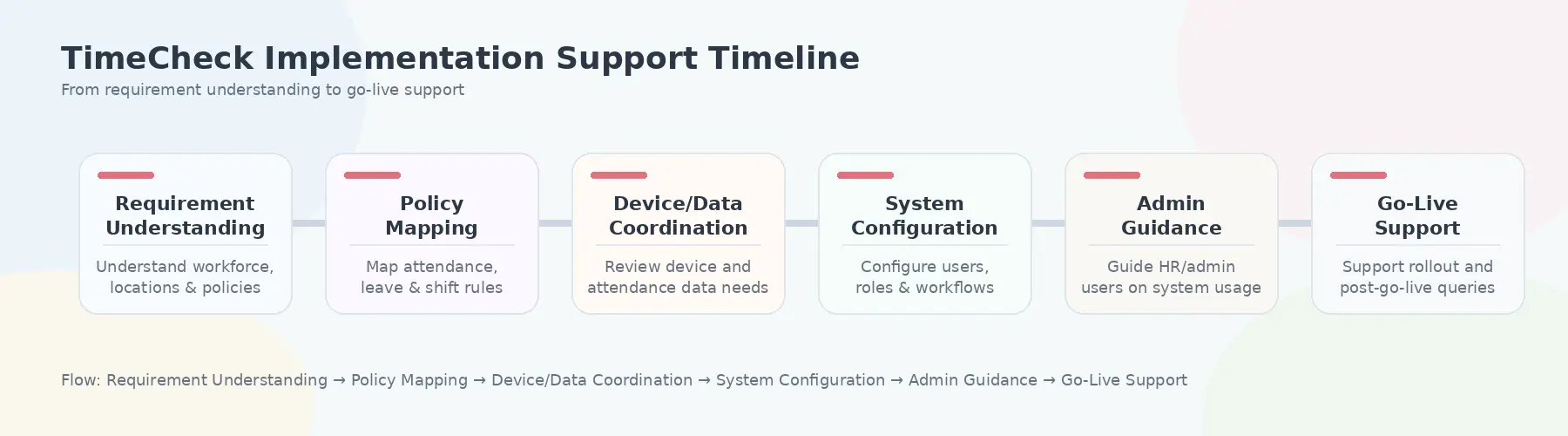
TimeCheck is used by organizations with different workforce structures, attendance policies, shift rules, locations, and device environments. During implementation or expansion, our team can assist with configuration and rollout-related guidance.
Implementation assistance may include:
- Understanding attendance and workforce requirements
- Mapping departments, branches, roles, and user access
- Setting up attendance policies and approval workflows
- Configuring leave, shift, overtime, and permission rules
- Coordinating biometric or attendance device data requirements, based on compatibility
- Assisting with reports and payroll-ready attendance data needs
- Supporting admin users with system usage guidance
- Helping teams prepare for go-live and post-implementation usage
Biometric and Device-Related Support
TimeCheck can work with compatible biometric and attendance devices depending on the customer’s device environment and project requirements. Support for device-related needs may include coordination around attendance data capture, device compatibility checks, data flow review, and troubleshooting guidance.
For new implementations or device-related changes, customers should share device details, location requirements, user count, and attendance capture process with the TimeCheck team for review.
Reports and Payroll-Ready Attendance Data Support
Accurate attendance data is important for payroll, compliance, workforce planning, and management reporting. TimeCheck Support can assist users with report-related guidance, attendance data visibility, overtime data, exception details, and payroll-ready attendance information where applicable.
Support may include guidance for:
- Monthly attendance reports
- Overtime reports
- Late entry and early exit details
- Leave and permission records
- Department-wise or branch-wise attendance visibility
- Payroll-ready attendance data exports, based on configured workflows
Escalation for Business-Critical Issues
For business-critical support requests, TimeCheck may follow an escalation process involving the appropriate support, technical, implementation, or account teams based on the nature of the issue.
General Escalation Flow
| Escalation Level | Team Involved |
|---|---|
| Level 1 | Support Team |
| Level 2 | Product or Technical Support Specialist |
| Level 3 | Implementation or Integration Team |
| Level 4 | Account or Management Review, where required |
Escalation depends on issue severity, support scope, available details, and customer agreement.
Before You Contact Support
To help our team review your request faster, please share the following details wherever possible:
- Company name
- Contact person name and phone number
- Module or feature where help is needed
- Number of users, department, or branch affected
- Device details, if the issue is related to biometric or attendance hardware
- Screenshot or error message, if available
- Brief explanation of the issue and when it started
This helps the support team understand the issue clearly and provide better assistance.
Need support with TimeCheck or planning a new implementation?
Our team can help you with attendance, leave, shift, overtime, reports, biometric device coordination, and workforce management requirements.

